





I Don't Remember My Password, How Can I Recover It?

Written by Vlad Mihalache


Last updated on Jun 26, 2026
You can reset your SlotsMate account password in four simple steps:
- On the Log In screen, click “Forgot Password?”.
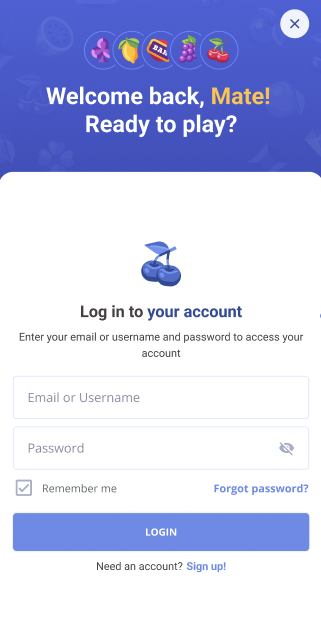
- Enter your email.
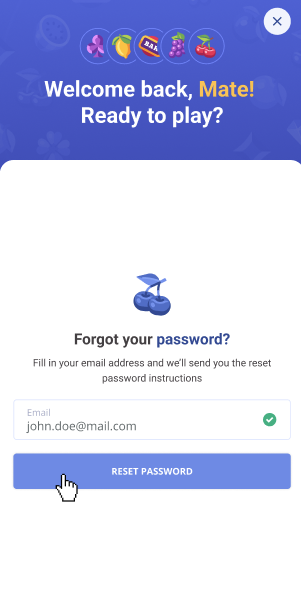
- Open the reset link we send you.
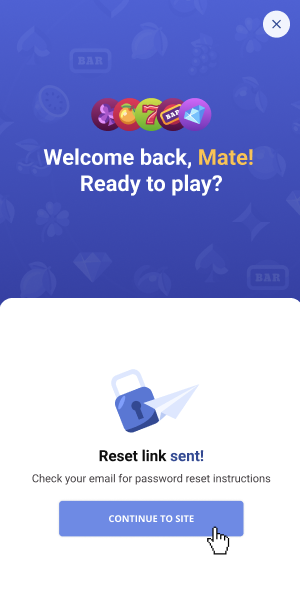
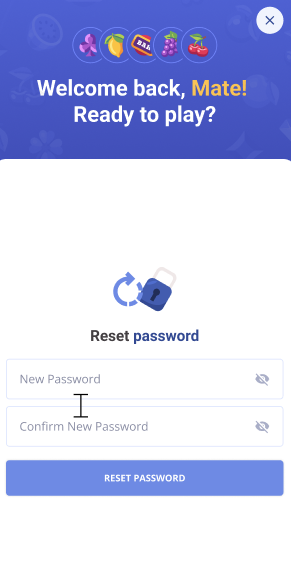
- Set a new password.
Please note
The reset link is valid for 30 minutes. Let it sit longer than that and you'll need to request a new one. Same process. No penalty for needing more than one try.
A few practical tips for keeping your password safe:
- Use the show-password toggle when typing the new password. Saves you the "why isn't this working" frustration when there's a typo hiding behind the dots.
- Don't reuse a password from another site. If one of those sites gets breached (and one of them eventually will), attackers try the same email-and-password combo everywhere. Pick something specific to SlotsMate.
- A password manager is your friend. If you don't already use one, this is a sign. Generate a strong password, save it, never think about it again.
- If the email never arrives, check spam first. After that, try requesting a second reset. Sometimes the first one gets caught in a filter and the second sails through. If both fail, ping support with the email address you used at signup.
Remember
One thing that often confuses people: changing your password here doesn't change it anywhere else. SlotsMate isn't connected to your other accounts. So if you also want to update your password on another site, you'll have to do that separately.
Related: I forgot my username · How do I log in?
Page Contributors