Space Crasher Review & Free Play
5.0Played 5 times


Are you sure you want to refresh game credits?
Rated 5(Excellent)by 1 people.What do you think?
Expert Review: Snehal Gupta's Verdict & Opinion

Snehal Gupta


Jan 09, 2025
Ready to play Space Crasher for real money?


Space Crasher Score by Real Players
Rate & Review Space Crasher
Thank you! Your rating was successfully submitted. You've already submitted a rating for this game. Please pick another game to rate.
Your review must contain at least 50 characters.
Upload images
Upload up to 5 images (optional)You need to fill in your name.
You need to enter a valid email address.
Thank you! Your rating was successfully submitted.You've already submitted a review for this game. Please pick another game to review.
You've already submitted a review for this game. Please pick another game to review.Game info
How To Play Space Crasher
Step 1
CHOOSE YOUR TOTAL BET.
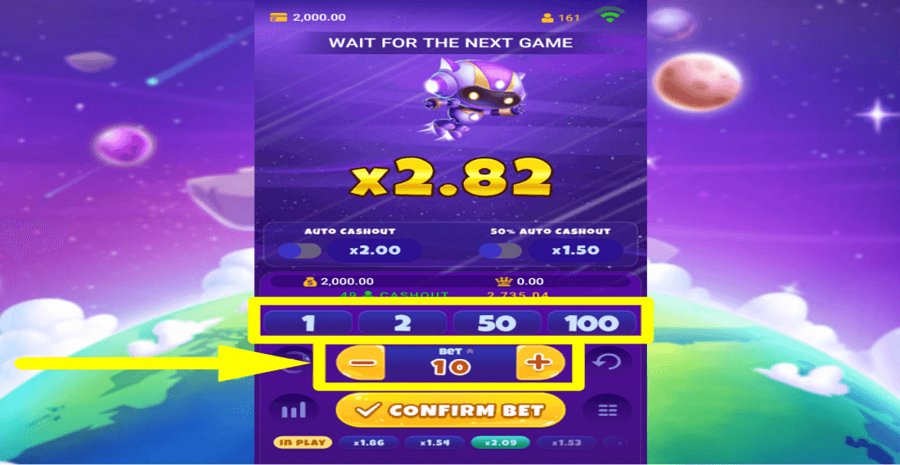
Select the amount you want to “Bet” on each round by using the numbers or the “-” and “+” buttons.
Step 2
CONFIRM YOUR WAGER.
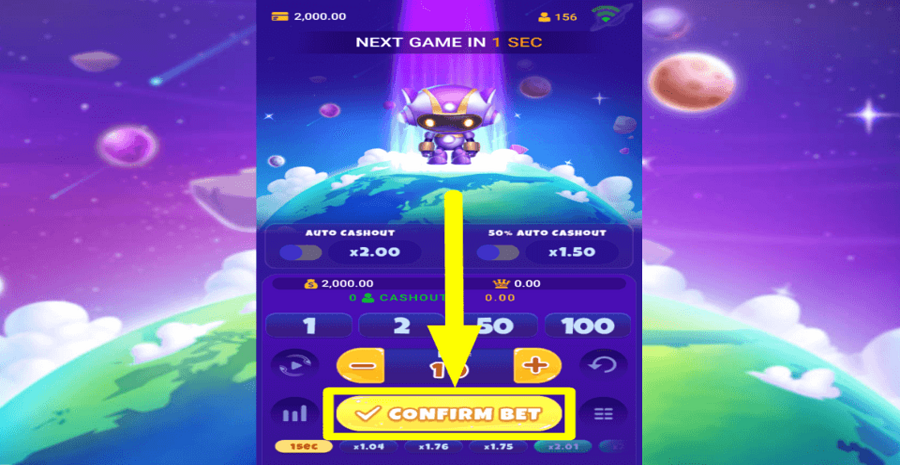
Once you have selected your bet, tap the “Confirm Bet” button to place the wager.
Step 3
CALL OFF ALL BETS.
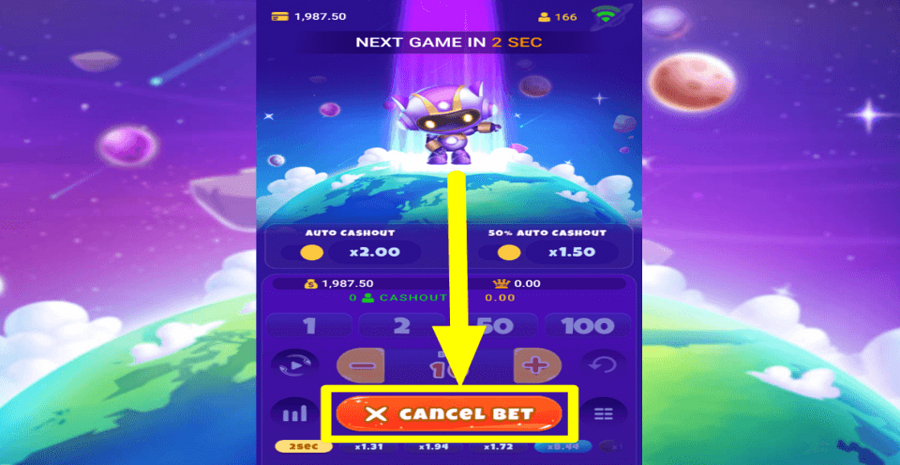
Hit the “Cancel” button before a round starts if you don’t want to play the next game.
Step 4
RETRACE YOUR STEPS.
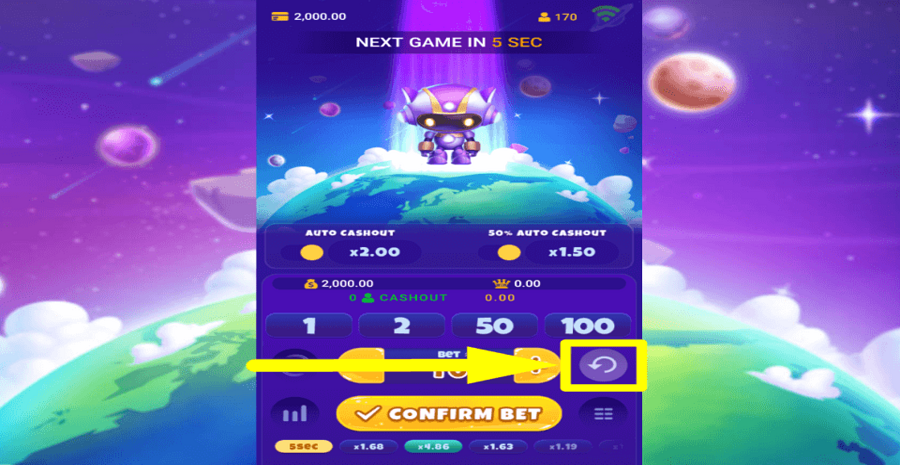
Tap the “Undo” button on the right side of the “Bet” amount to retract any bets that you may have placed.
Step 5
CONTINUE AUTOMATICALLY.
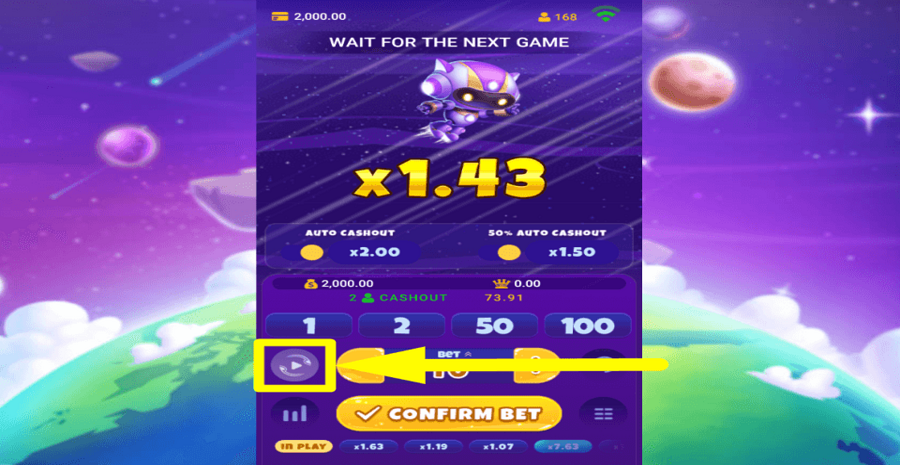
Use the optional “Autoplay” feature to play a select number of turns automatically.
Step 6
COLLECT YOUR CASH.
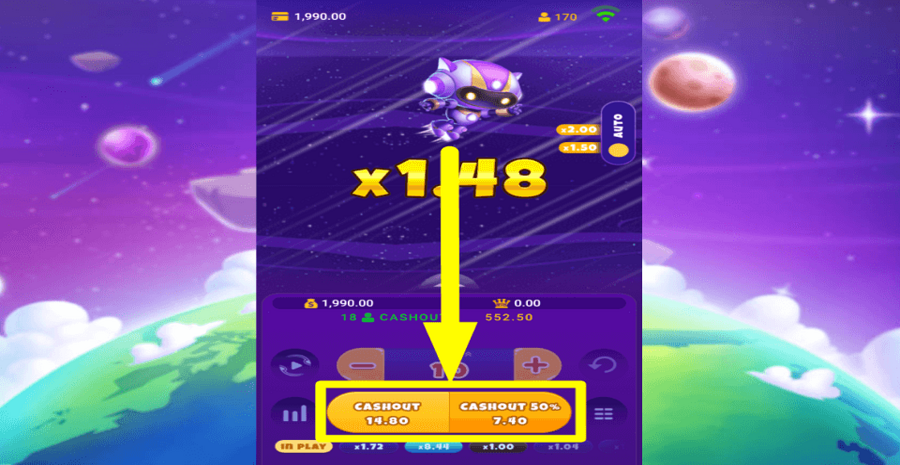
Click the “Cashout” buttons at the bottom of the screen during any round to take the multiplier reward and stop playing.
Step 7
CASH OUT AUTOMATICALLY.
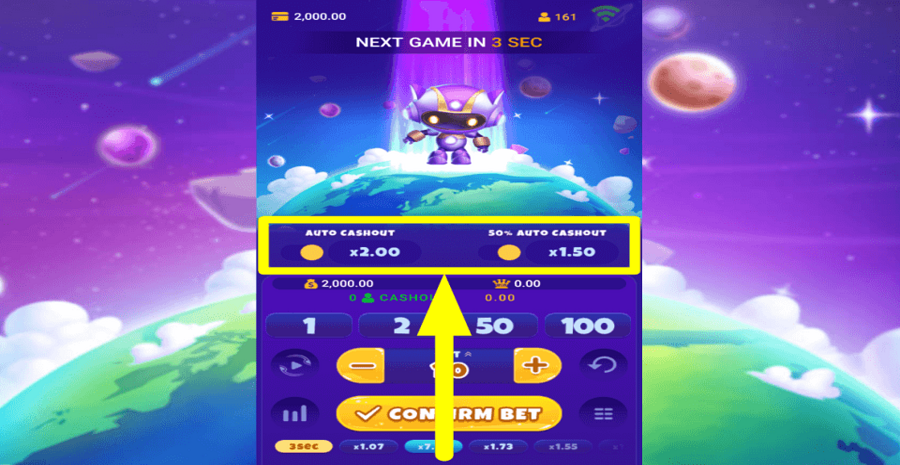
Take advantage of the optional “Auto Cashout” feature to collect your winnings when a set multiplier value is reached.
Other Spadegaming Games