





How Do I Create a Free SlotsMate Account?



Quick version: under a minute, no card needed, no ID check.
Here's the actual flow:
- Press “Log In” from the top right side, and look for the “Need an account? Sign up!” button.
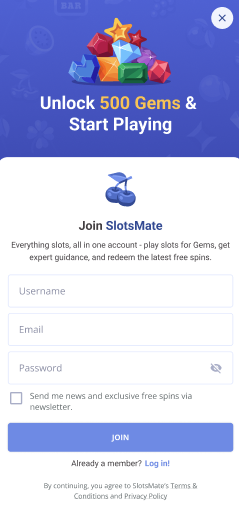
- Pick a username, drop in your email, set a password.
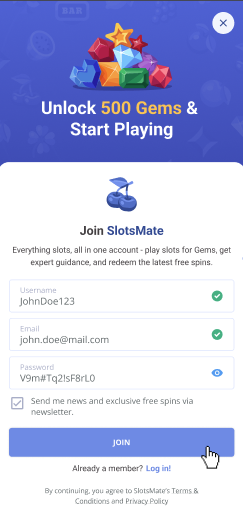
- Hit Join. We'll send a 6-character verification code to that email.
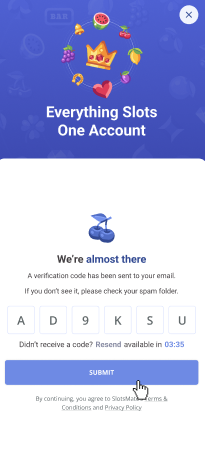
- Paste the code into the form. Or just click "Confirm account" in the email and skip the typing.
- You're in. 500 gems land in your account right away.
Please note
The verification code is good for 15 minutes. If it expires, request a new one and re-paste. The old code stops working the second a new one is sent, so don't try to use both.
Here are a few common snags worth knowing about:
If the verification email doesn't arrive in 2-3 minutes, check spam. Some inbox providers (we're looking at you, Outlook) like to filter automated emails on first contact. If it's still not there after five minutes, request a resend. If that fails, try a different email.
If your chosen username won't go through, it's one of three things: it's already taken, it contains characters we don't allow, or it's too short or too long. The error message will tell you which. Try a variation.
If your password gets rejected, check the rules under the field. Length tends to matter more than special characters.
Once you're in, you'll get a welcome email with a few starting points. Don't feel obligated to click everything in it. Your account already works.
Related: What are Gems? · How does the reward system work? · What are the benefits of having an account?
Page Contributors