Mines Supreme Review & Free Play
New
0.0Played 1 times


Are you sure you want to refresh game credits?
No ratings yet! Be the first to share your thoughts!
Ready to play Mines Supreme for real money?


Mines Supreme Score by Real Players
Rate & Review Mines Supreme
Thank you! Your rating was successfully submitted. You've already submitted a rating for this game. Please pick another game to rate.
Your review must contain at least 50 characters.
Upload images
Upload up to 5 images (optional)You need to fill in your name.
You need to enter a valid email address.
Thank you! Your rating was successfully submitted.You've already submitted a review for this game. Please pick another game to review.
You've already submitted a review for this game. Please pick another game to review.Game info
How To Play Mines Supreme
Step 1
CHOOSE YOUR BET.
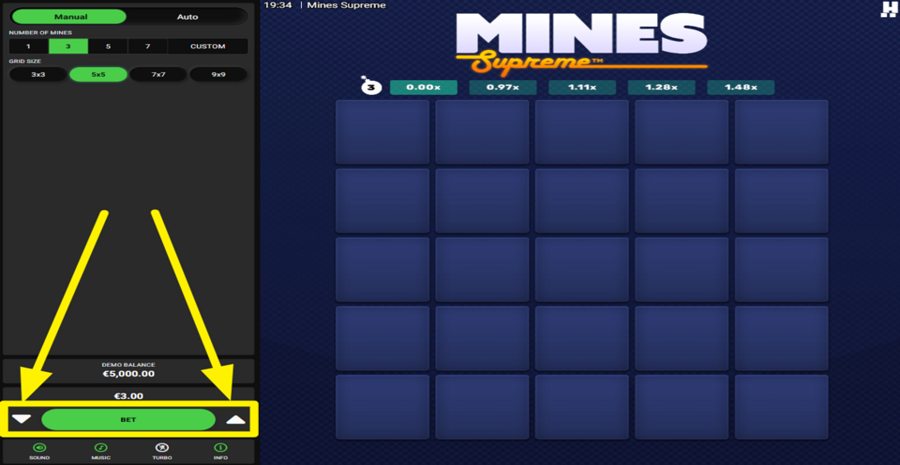
To set your wager, tap the white arrow buttons positioned on either side of the green "Bet" button near the bottom left of the screen.
Step 2
ADJUST THE NUMBER OF MINES.
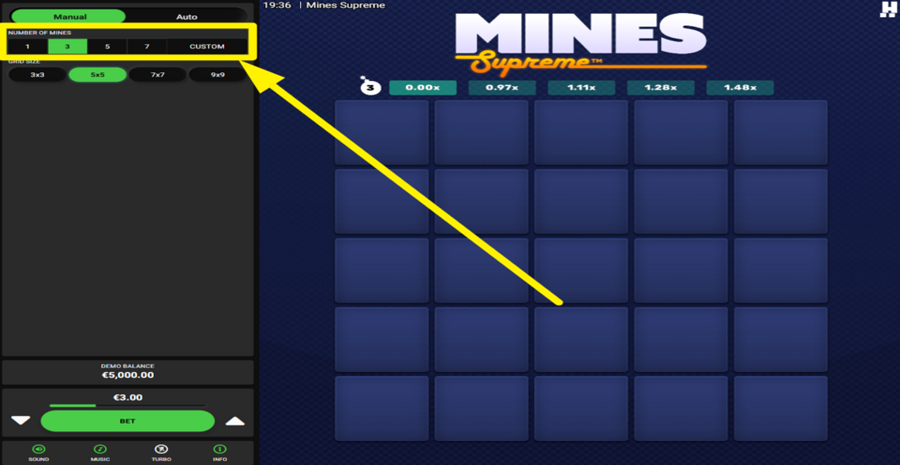
Look at the upper-left area of the screen and find the "Number of Mines" section. Here, you can choose preset values such as 1, 3, 5, or 7 Mines, or select "Custom" to enter your own amount. More Mines increase the danger of revealing a losing square, but they also improve the potential payouts available from successful picks.
Step 3
SELECT A GRID SIZE.
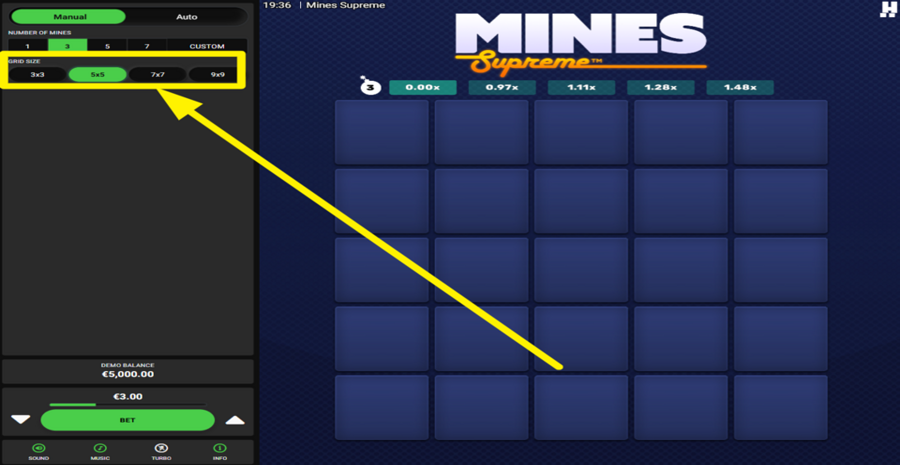
Just below the "Mine" settings, you can find the "Grid Size" options. Choose between 3x3, 5x5, 7x7, or 9x9 layouts. Larger grids contain more squares to explore and generally spread the "Mines" across a wider playing area.
Step 4
LET THE FUN BEGIN!
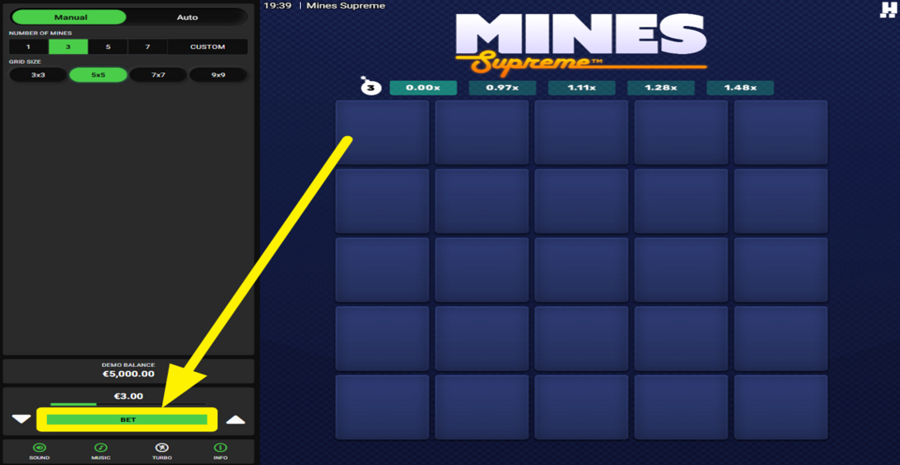
Press the green "Bet" button to begin a round. A hidden grid appears where every square can contain a "Diamond," a "Mine," a "Shield," a "Multiplier," or the rare "Max Win Diamond." Click unopened squares one at a time to reveal their contents. Each "Diamond" increases your collectable win. If you reveal a "Mine," the round normally ends immediately. However, finding a "Shield" protects you from the next "Mine" you uncover. "Multipliers" can boost your current collectable win, while the "Max Win Diamond" instantly awards the game's maximum prize and ends the round.
Step 5
COLLECT YOUR WINNINGS.
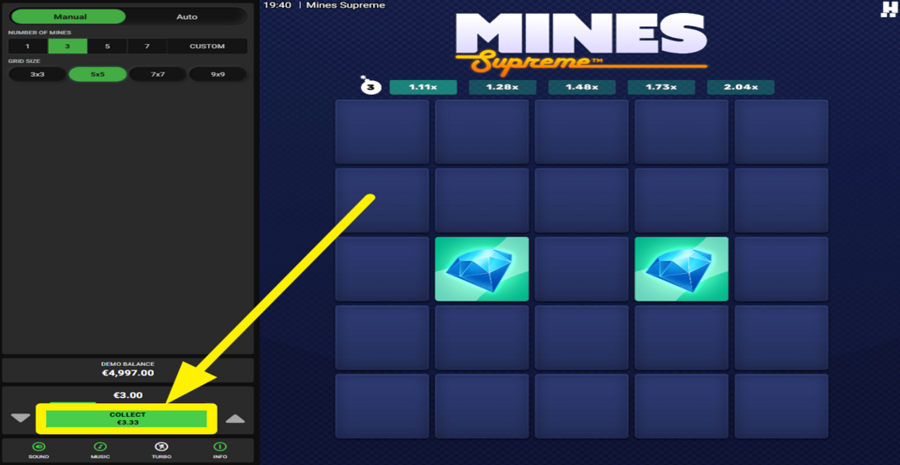
After revealing one or more favorable symbols, you may stop at any time by clicking the green "Collect" button that replaces the "Bet" button at the bottom of the panel. This action secures your winnings and ends the round.
Step 6
USE THE AUTOPLAY FEATURE.
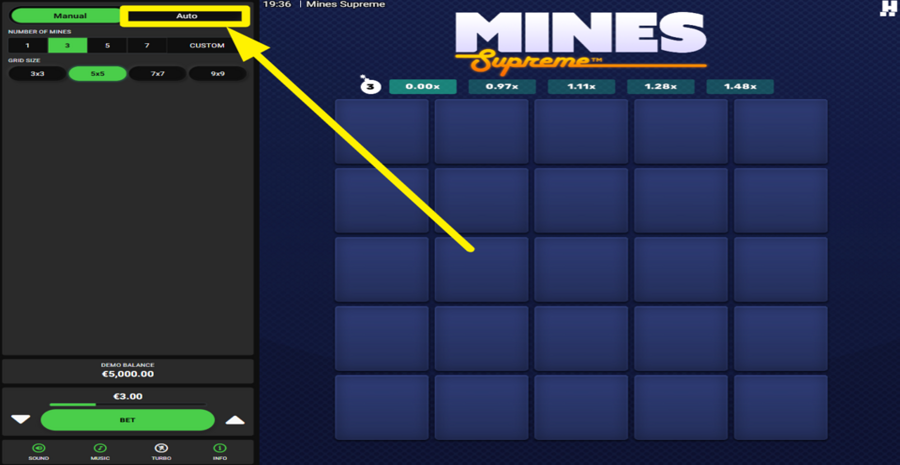
Click the "Auto" tab at the top of the left-hand panel to switch from "Manual" to "Autoplay" mode. You can configure the number of rounds, choose a "Random" or "Custom" picking pattern, set how many squares should be selected automatically, and define optional win and loss limits.
Step 7
ACTIVATE TURBO MODE.
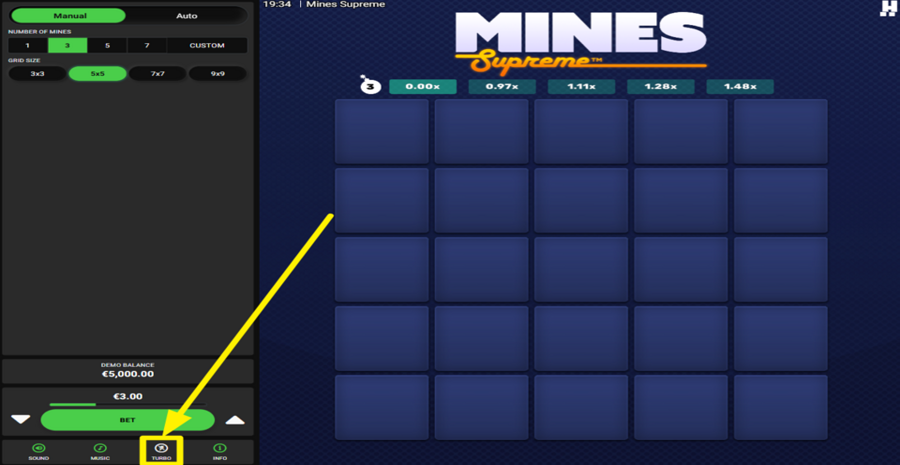
Find the "Turbo" button in the bottom toolbar, between the "Music" and "Info" buttons. Press it to speed up game animations and round transitions.