Chicken Plus Review & Free Play
3.0Played 18 times


Are you sure you want to refresh game credits?
Rated 3(Average)by 2 people.What do you think?
Expert Review: Snehal Gupta's Verdict & Opinion

Snehal Gupta


Mar 17, 2026
Ready to play Chicken Plus for real money?


Chicken Plus Score by Real Players
Rate & Review Chicken Plus
Thank you! Your rating was successfully submitted. You've already submitted a rating for this game. Please pick another game to rate.
Your review must contain at least 50 characters.
Upload images
Upload up to 5 images (optional)You need to fill in your name.
You need to enter a valid email address.
Thank you! Your rating was successfully submitted.You've already submitted a review for this game. Please pick another game to review.
You've already submitted a review for this game. Please pick another game to review.Player Reviews2 reviews
L
late_night9

14.06.2026
Balanced mechanics but risky payouts
Medium difficulty has the best mechanics for consistent hits. Cashed out near 2x often, but the payout structure on hard feels too punishing. Great pixel art, though gameplay gets repetitive fast.
X
xXNeonWolfXx

27.05.2026
Entertaining but slow momentum
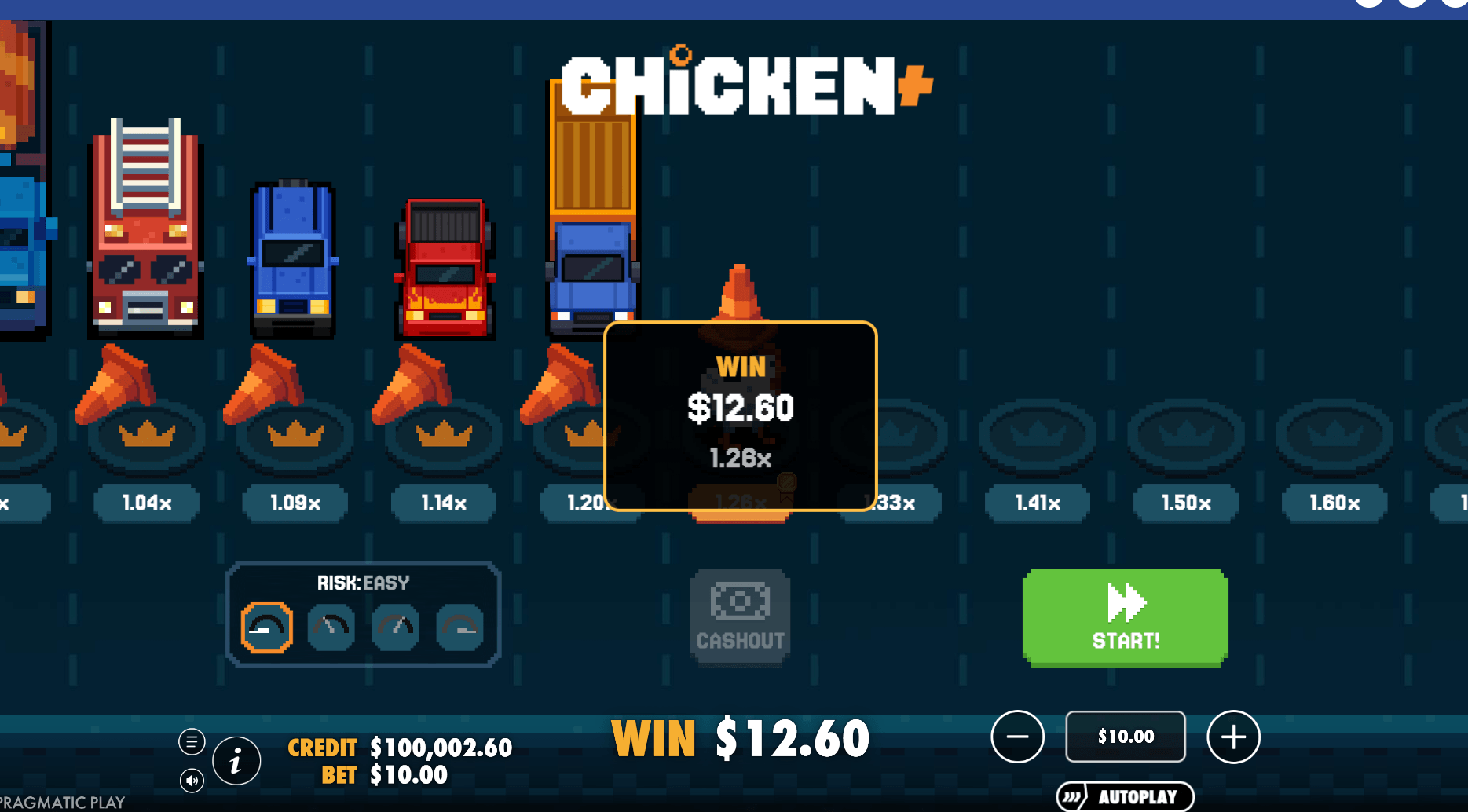
Had a decent session avoiding trucks. The retro look is cool, but wins like this $12.60 on a $10 bet feel tiny. It’s okay for a casual vibe, just don't expect big energy.
Game info
How To Play Chicken Plus
Step 1
CHOOSE YOUR BET.
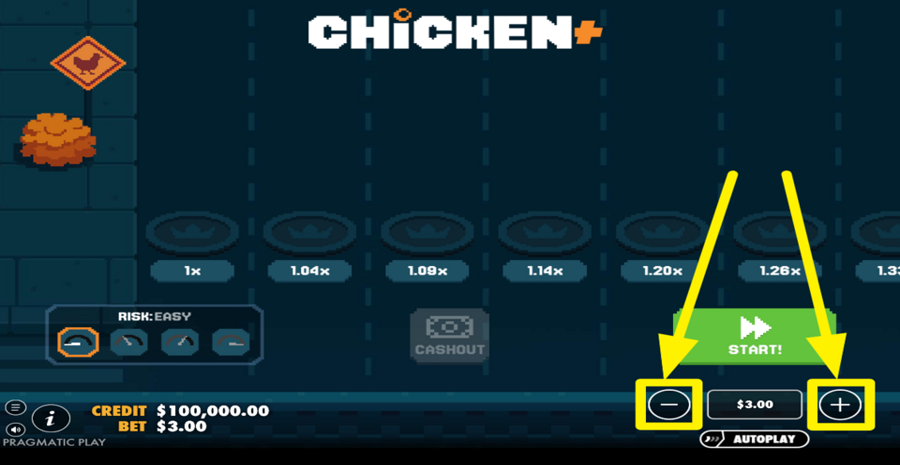
To set your wager, click the “-“ or the “+“ button located at the bottom right of the screen. Next, press the “-“ and “+“ buttons to adjust the stake amount. You can also fine-tune the amount, double it, halve it, reset it, or jump to the maximum allowed value.
Step 2
SELECT A DIFFICULTY LEVEL.
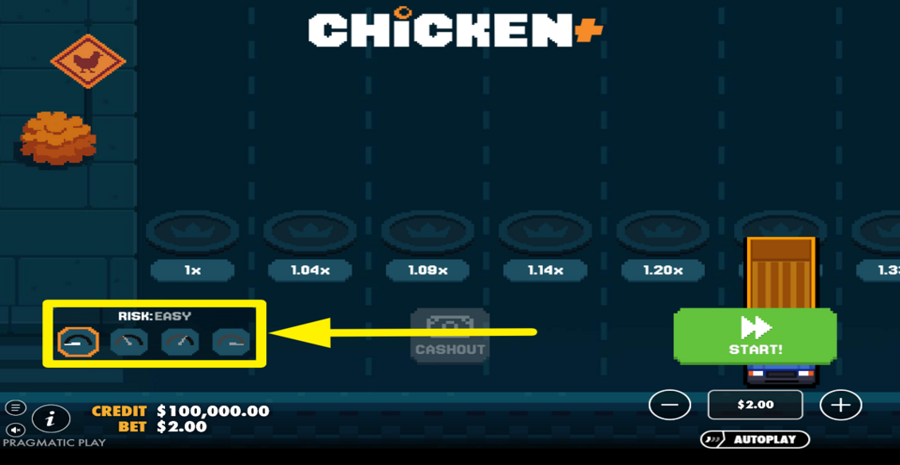
To control the risk level, use the difficulty selector found at the bottom left of the screen. This panel lets you switch between different modes, each represented by a small icon. Lower difficulty offers more lanes with smaller multipliers, while higher difficulty reduces the number of lanes but increases the potential multipliers significantly. Choose a mode before starting, as it determines both your chances of progressing and the size of possible rewards.
Step 3
BEGIN THE ADVENTURE!
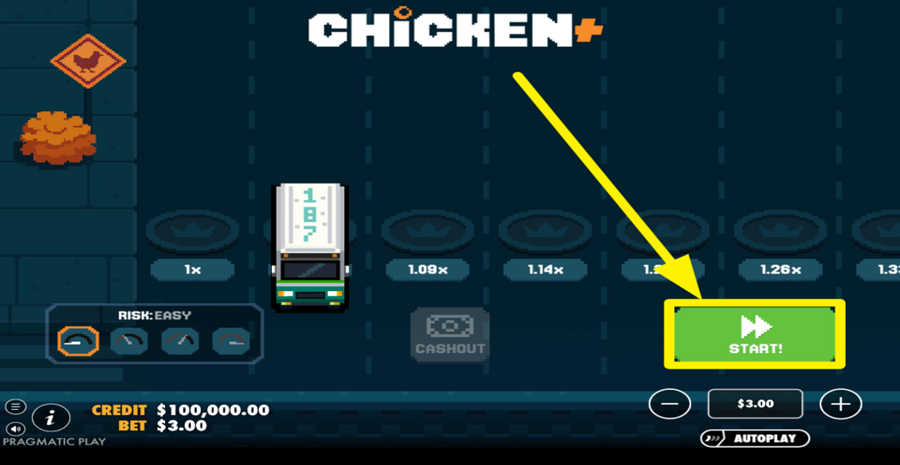
Press the large green “Start” button on the right side of the screen to begin a round. Once the round starts, your chicken will attempt to cross the road. Each lane of the road displays a multiplier, and every successful move increases your potential win. If the chicken fails to cross a lane, the round ends with no payout.
Step 4
CASH OUT YOUR WINNINGS.
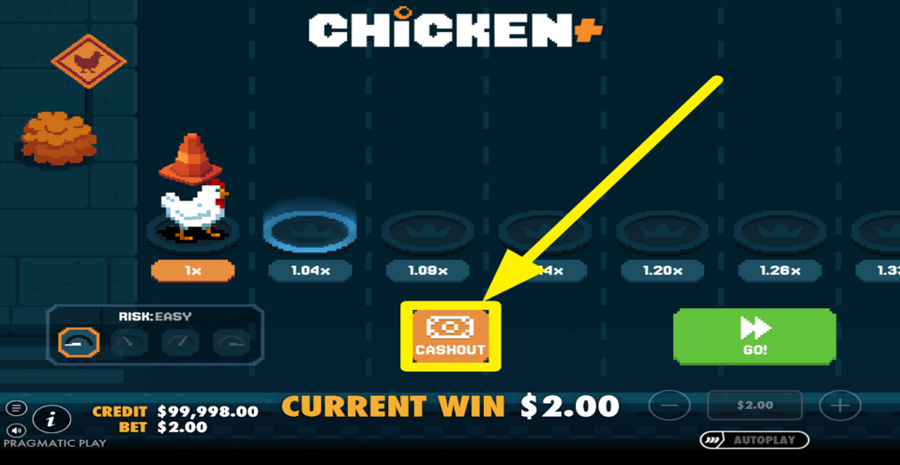
After each step, you can decide whether to continue forward for a higher multiplier or stop and secure your current winnings. Once the chicken crosses the first lane, the “Cashout” button appears in the center of the screen, and it stays there for as long as the chicken is alive. Press it at any time after a successful step to collect your current winnings, which are based on the multiplier of the last cleared lane. Choosing when to cash out is key, as pushing further increases rewards but also the risk of losing everything.
Step 5
USE THE AUTOPLAY FEATURE.
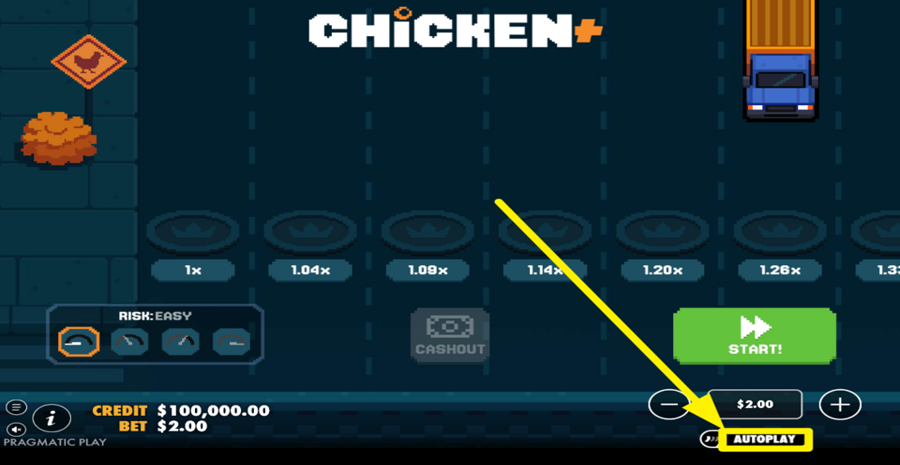
To automate your gameplay, press the “Autoplay” button located just below the ”bet” controls on the bottom right. This opens the ”Autoplay” settings window, where you can choose the number of rounds and set conditions such as stopping on profit or loss. You can also define how your “bet” changes after wins or losses.
Step 6
ENABLE TURBO MODE.
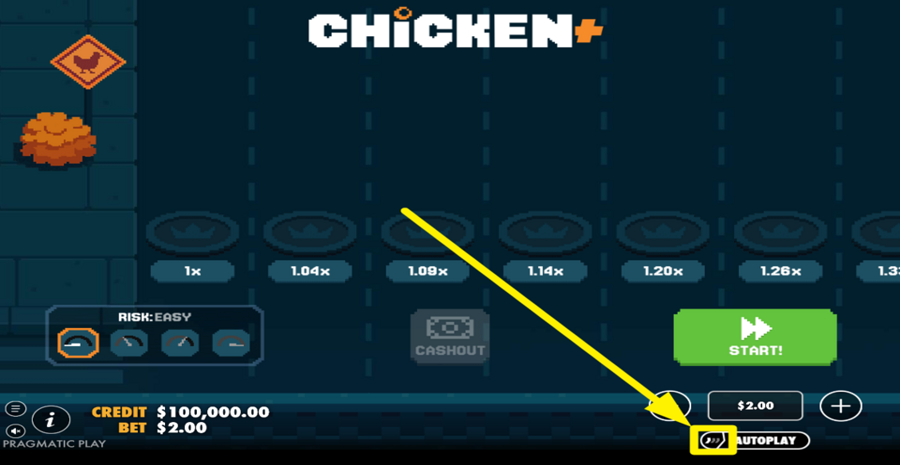
For faster spins, tap the small button inside the "Autoplay" button. Press it once to enable "Quick Spin" for a faster game experience, and twice to turn on "Turbo Spin" or the fastest mode. Press it a third time to restore default speed settings.
Other Pragmatic Play Games