TaDa Gaming Video Poker Review & Free Play
0.0Played 46 times


Are you sure you want to refresh game credits?
No ratings yet! Be the first to share your thoughts!
Ready to play TaDa Gaming Video Poker for real money?


TaDa Gaming Video Poker Score by Real Players
Rate & Review TaDa Gaming Video Poker
Thank you! Your rating was successfully submitted. You've already submitted a rating for this game. Please pick another game to rate.
Your review must contain at least 50 characters.
Upload images
Upload up to 5 images (optional)You need to fill in your name.
You need to enter a valid email address.
Thank you! Your rating was successfully submitted.You've already submitted a review for this game. Please pick another game to review.
You've already submitted a review for this game. Please pick another game to review.Game info
How To Play TaDa Gaming Video Poker
Step 1
ADJUST YOUR WAGER.
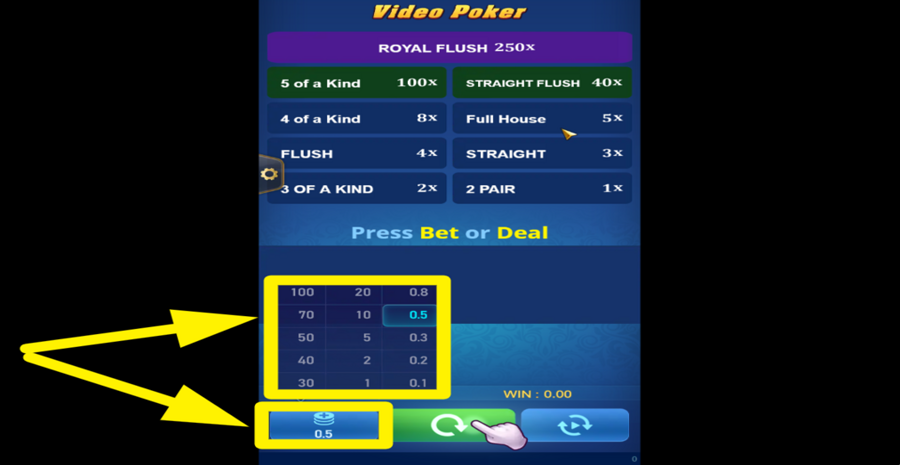
Tap the coin stack icon at the bottom left corner of the main game area to open the betting menu. Choose a "bet" amount from this menu.
Step 2
ENTER THE ACTION!
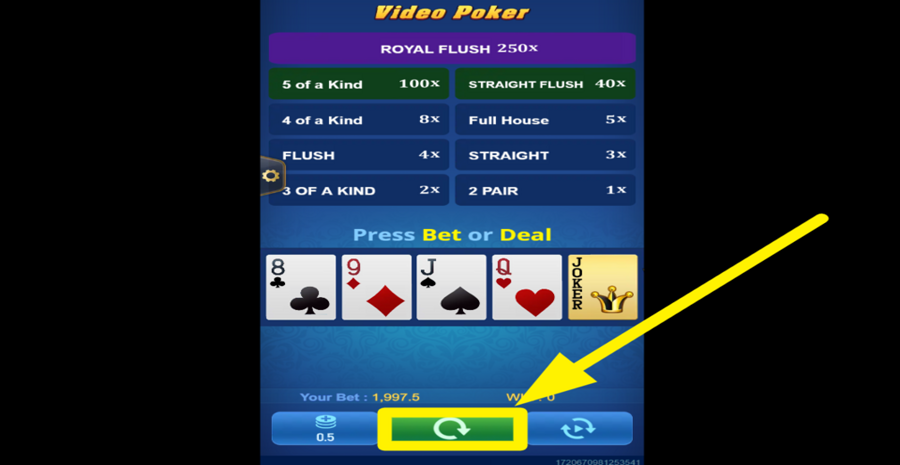
Press the green "Deal" button located at the bottom center of the screen to start the game. You will receive 5 cards from a deck of 54 cards, including 2 jokers.
Step 3
HOLD OR CHANGE CARDS.
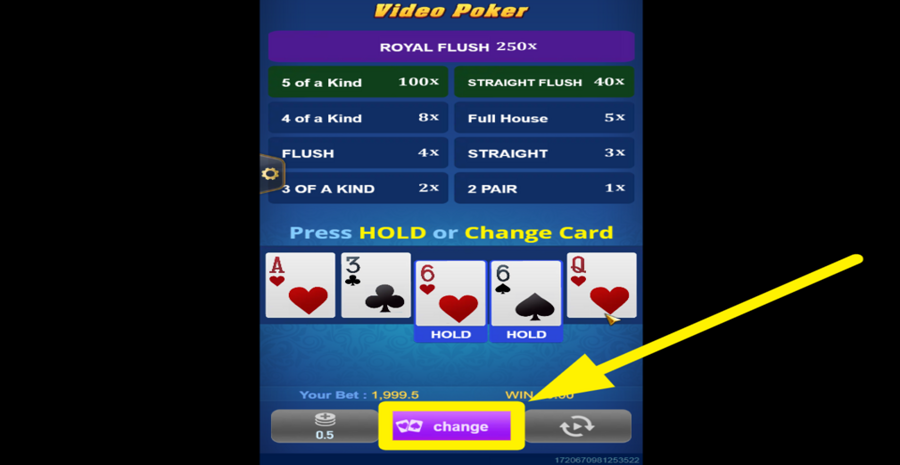
Choose which cards to retain by pressing the "Hold" button beneath each card you want to keep. To replace the rest of the cards, press the purple "Change" button at the bottom center of the screen.
Step 4
CASH OUT YOUR WINNINGS.
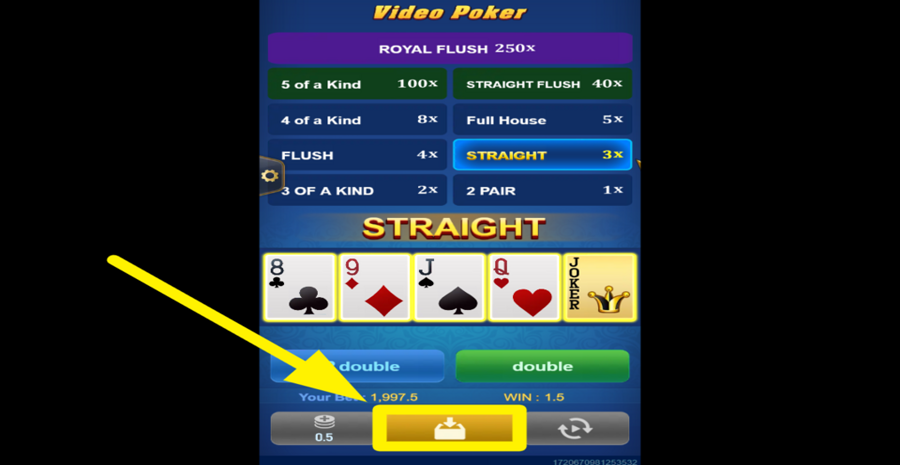
Press the yellow "Cash Out" button at the bottom center of the screen to collect your winnings and end the round. Alternatively, you can choose to play the "Double Game" for a chance to increase your winnings.
Step 5
TAKE A CHANCE!
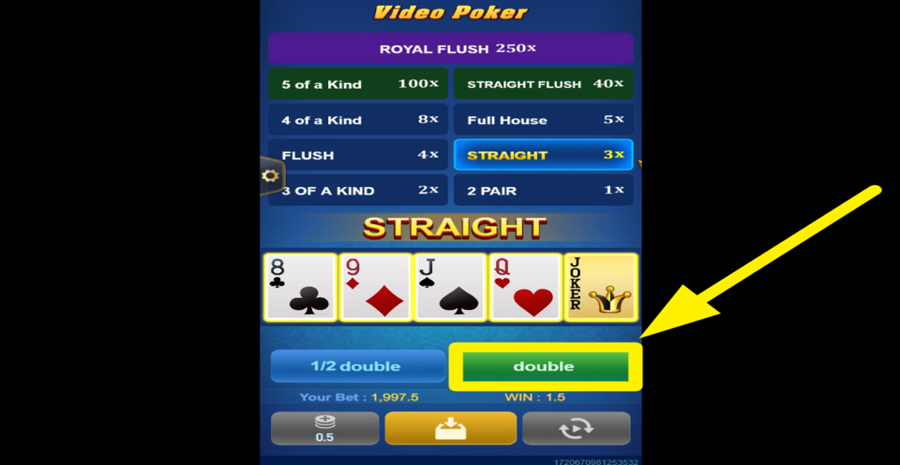
After winning a hand, choose to play the risk game by pressing either the blue "1/2 Double" button or the green "Double" button at the bottom of the screen. Guess whether the flipped card will be bigger or smaller than 7 to double your winnings.
Step 6
ACTIVATE AUTOMATIC PLAY.
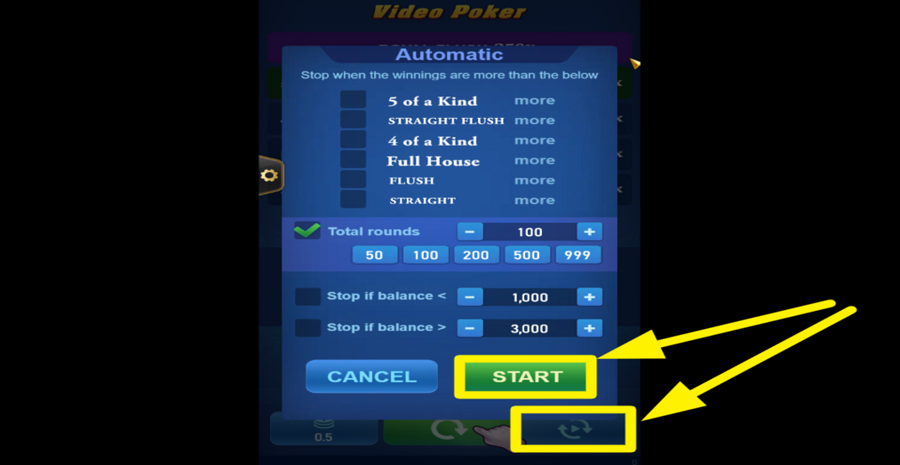
Tap the button featuring two circular arrows at the bottom right corner of the main game area to open the "Autoplay" menu. In the menu, select the number of automatic rounds by tapping the "+" or "-" buttons next to "Total rounds". You can also set conditions to stop "Autoplay" based on your balance or winnings. Once you've configured your preferences, tap the green "Start" button to activate "Autoplay".