Chicken Smash Review & Free Play
0.0Played 1 times


Are you sure you want to refresh game credits?
No ratings yet! Be the first to share your thoughts!
Ready to play Chicken Smash for real money?


Chicken Smash Score by Real Players
Rate & Review Chicken Smash
Thank you! Your rating was successfully submitted. You've already submitted a rating for this game. Please pick another game to rate.
Your review must contain at least 50 characters.
Upload images
Upload up to 5 images (optional)You need to fill in your name.
You need to enter a valid email address.
Thank you! Your rating was successfully submitted.You've already submitted a review for this game. Please pick another game to review.
You've already submitted a review for this game. Please pick another game to review.Game info
SOFTWARE
TopSpin Games
RELEASE DATE
May 14, 2026
RTP
95%
How To Play Chicken Smash
Step 1
ADJUST THE BET AMOUNT.
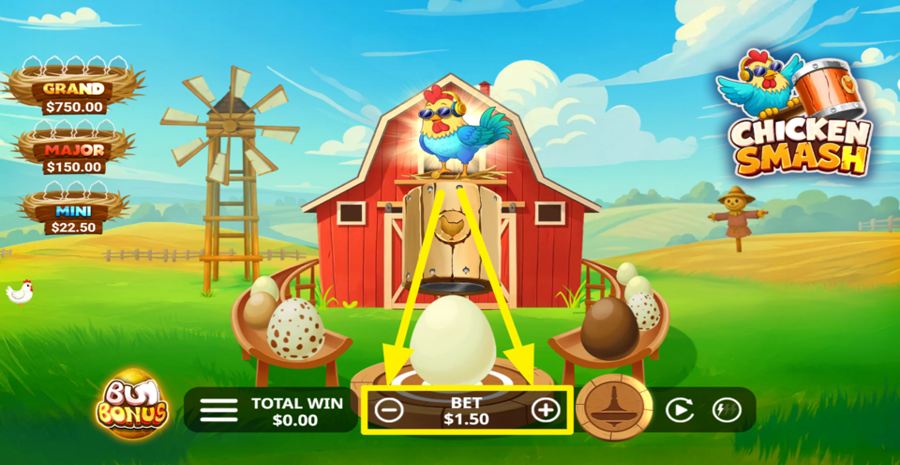
To choose your stake, click the "-" and "+" buttons positioned on either side of the "Bet" amount displayed at the bottom centre of the screen.
Step 2
PLAY THE GAME.
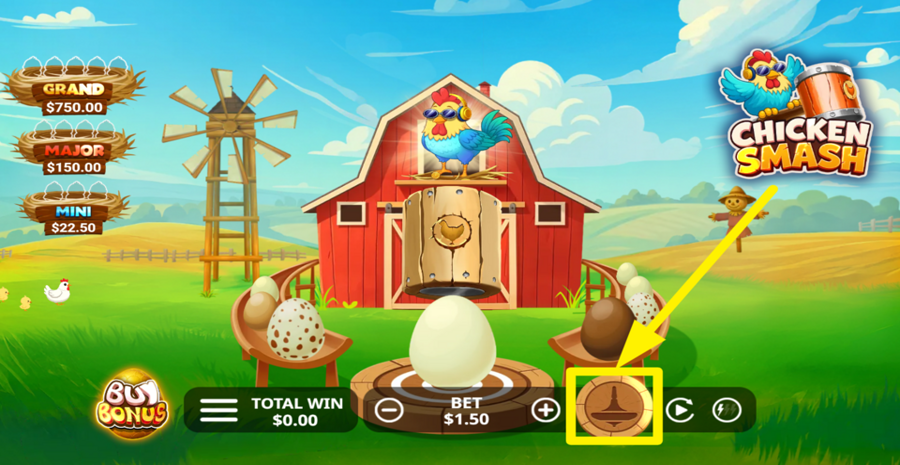
Press the large wooden hammer button near the bottom right of the screen to take a swing at the active egg displayed in the middle. Every round deducts the selected "bet" from your balance and gives you one attempt to crack that egg. Eggs can require multiple hits before they break. When an egg is smashed, it reveals its prize or feature outcome, and a new egg is automatically selected from one of the side slides to roll into the centre and become the next active egg. The game always displays one active egg in the middle, with additional eggs waiting on the left and right slides.
Step 3
ENABLE AUTOPLAY.
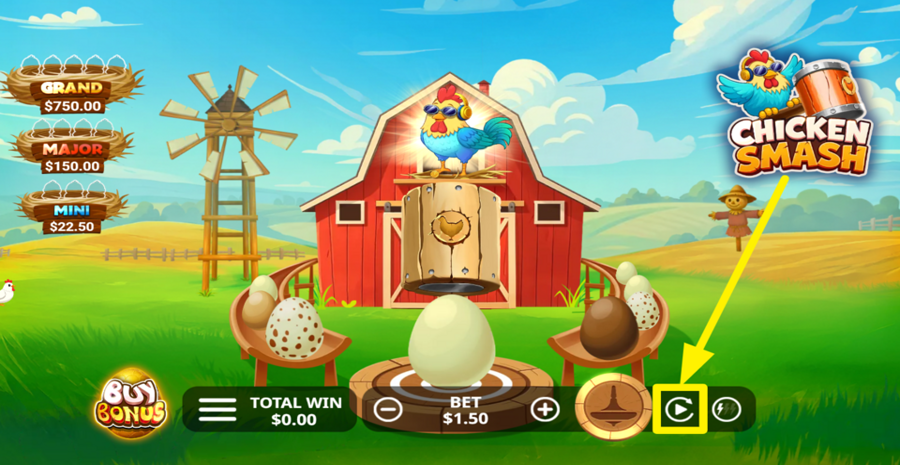
Click the circular "Autoplay" button to the right of the hammer control to open a settings window. Here, choose a predefined number of rounds, including 10, 20, 50, 100, or 500. You can also configure advanced conditions such as stopping when a single win reaches a chosen limit or when your balance decreases by a specified amount.
Step 4
CHANGE THE SPEED.
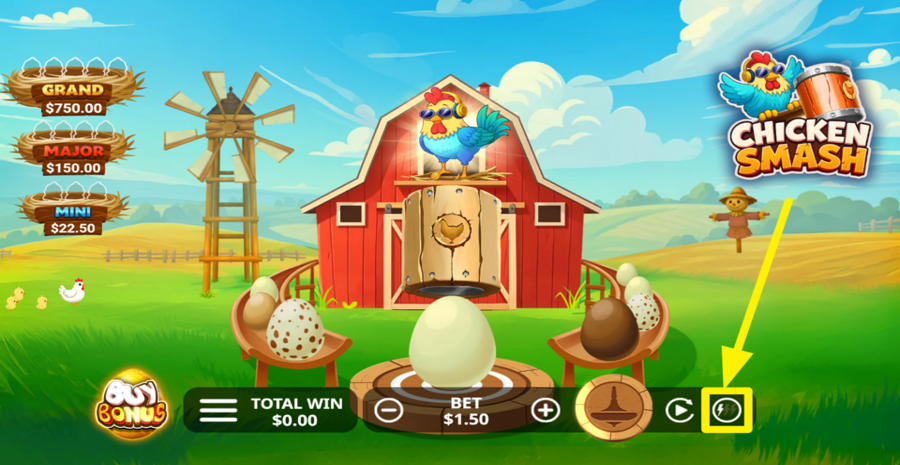
Press the lightning-bolt button in the bottom right corner to accelerate the game animations. One press activates "Turbo Mode", which speeds up the action and skips certain animations. Pressing the button a second time enables "Super Turbo Mode" for even faster rounds. Press it again to return to the standard speed.
Step 5
BUY A BONUS FEATURE.
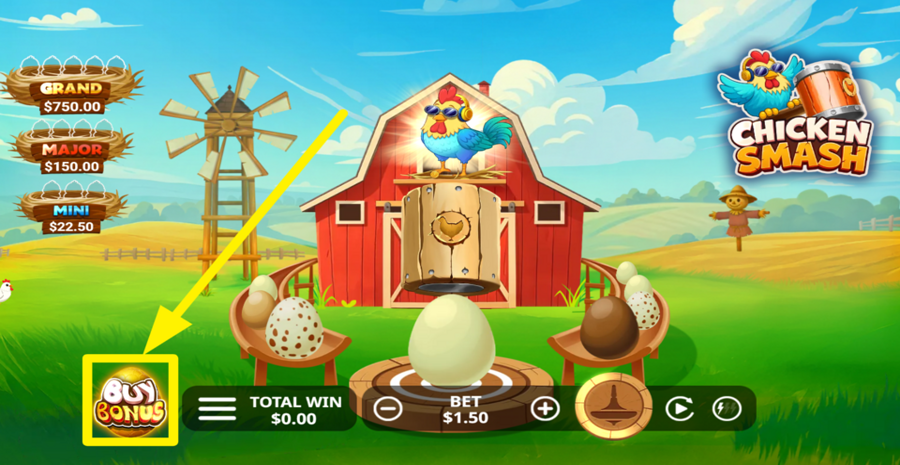
Click the "Buy Bonus" button in the bottom left corner to open the feature purchase menu. From here, you can directly access bonus features such as "Multiplier", "Rampage", "Multiplier Rampage", and "Golden Egg." "Rampage" can award a sequence of egg smashes, "Multiplier" applies a multiplier value to prizes, "Multiplier Rampage" combines both mechanics, and "Golden Egg" grants access to the special golden-egg feature.