Bingo Blast Review & Free Play
4.0Played 29 times


Are you sure you want to refresh game credits?
Rated 4(Very Good)by 2 people.What do you think?
Bingo Blast Score by Real Players
Rate & Review Bingo Blast
Thank you! Your rating was successfully submitted. You've already submitted a rating for this game. Please pick another game to rate.
Your review must contain at least 50 characters.
Upload images
Upload up to 5 images (optional)You need to fill in your name.
You need to enter a valid email address.
Thank you! Your rating was successfully submitted.You've already submitted a review for this game. Please pick another game to review.
You've already submitted a review for this game. Please pick another game to review.Player Reviews2 reviews
A
Aisha_Queen_95

08.04.2025
Smooth game but kinda flashy
I liked the way it moves fast and looks nice, but not sure I’d play it for hours. Feels more like a quick session kinda game. didn’t cost much to try, tho, so that’s a plus.
I
Isabelle 82

07.04.2025
A modern twist that works
This one surprised me, bingo can be slow, but Bingo Blast made it feel a lot more alive. It’s slick on mobile, and the double blast system kept me engaged. Didn’t hit a full house, but got a few smaller wins.
Game info
How To Play Bingo Blast
Step 1
DECIDE ON YOUR BET.
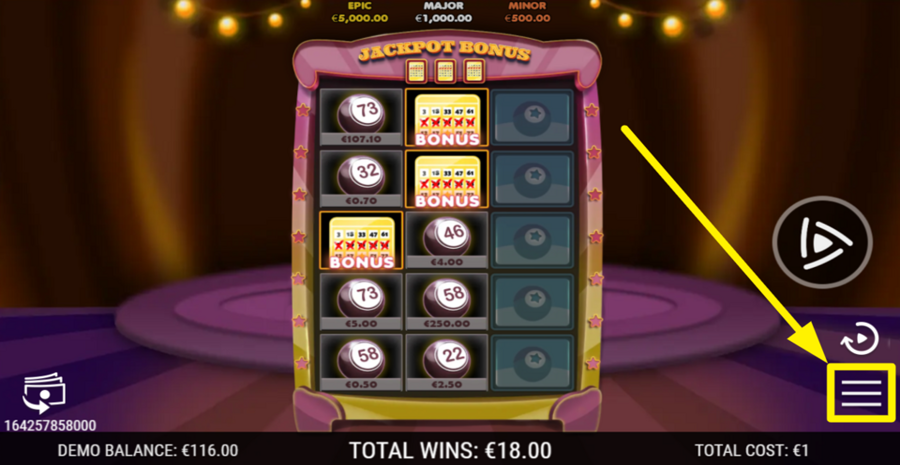
To configure your "bet," open the game settings window by pressing the three horizontal bars at the bottom right. Inside this window, you will see two separate sliders, each serving a different purpose. The first slider controls the number of "tickets." Drag it to choose how many bingo cards are active in a single round. The second slider sets the "cost per ticket," which determines how much each card is worth. As you drag either slider, the "total bet" updates automatically.
Step 2
KICK OFF THE BINGO ROUND!
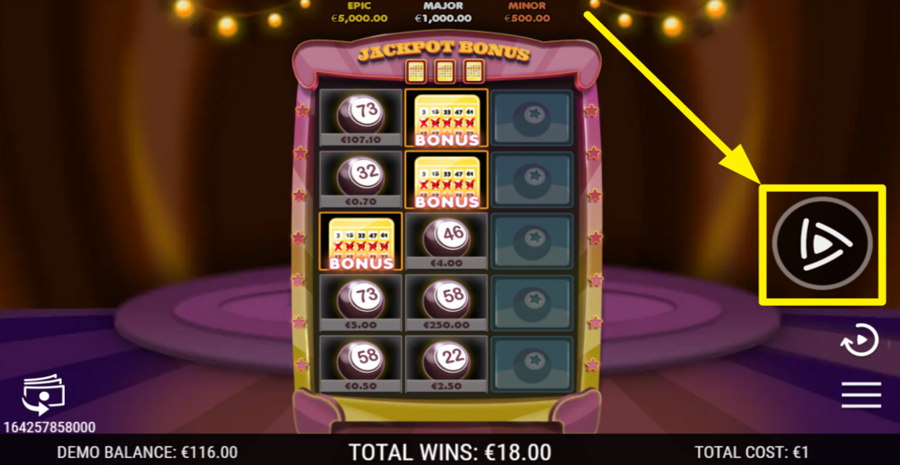
Once your "bet" configuration is complete, begin the game by pressing the main "Play" button positioned on the right side of the screen. This starts the round and activates all selected tickets at once. As you tap them one by one, the symbols are revealed on the grid. Each revealed symbol awards the prize shown directly beneath it.
Step 3
REVEAL EVERYTHING AT ONCE.
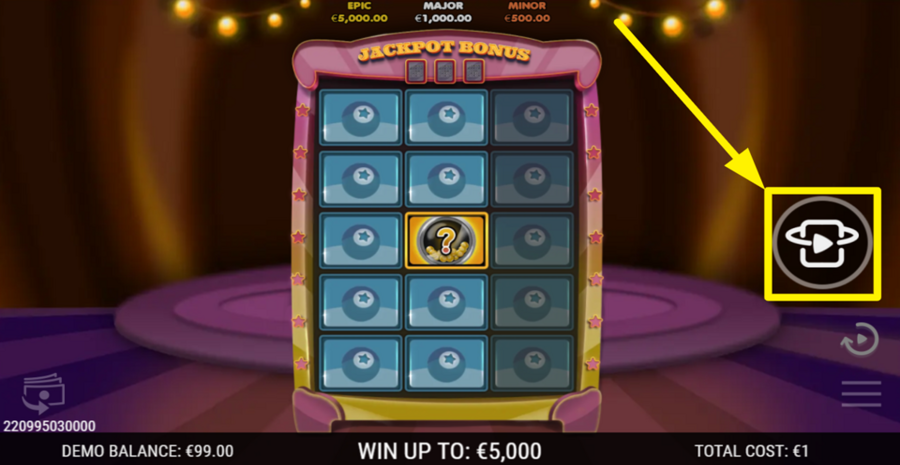
If you prefer speed over suspense, use the "Reveal All" option instead of tapping tiles individually. This button replaces the "Play" option once a round begins. If you click it, any prizes, bonus symbols, or collect features are applied immediately.
Step 4
USE THE AUTOPLAY FEATURE.
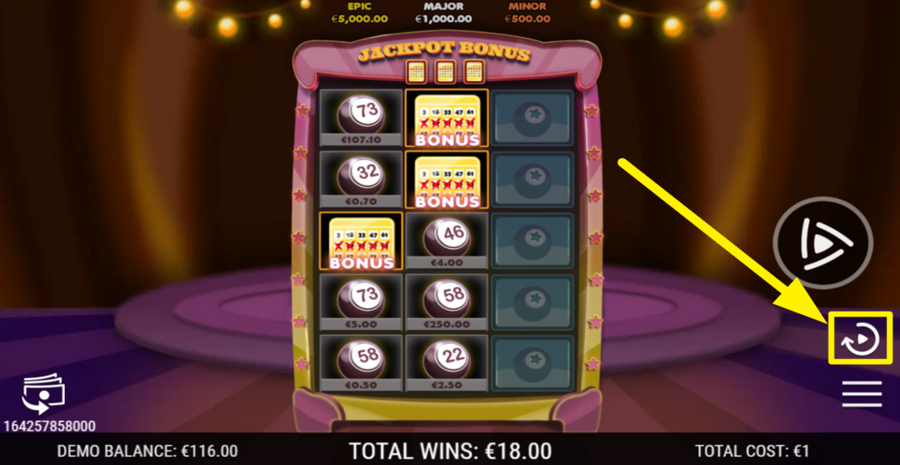
To play several rounds without tapping the tiles each time, open the "Auto Play" menu. Click the button above the three-bar icon. Next, you can choose a fixed number of consecutive rounds.